
End of Watch AI Video Generator

Upload one photo to personalize the main character. Add an optional second photo to personalize the secondary character too; the motion reference guides the scene and equipment showcase.

1Add a character photo
Upload character photos(0/2)

Main character · Photo 1

Secondary character · Photo 2 (optional)

Main character photo required · Second character photo optional · JPG, PNG, or WebP · Up to 20 MB each
2Keep defaults or customize
End of Watch AI Video Generator·Original reference music·
3Generate your video
Uses 10 credits

End of Watch AI Video Generator

Recreate the End of Watch locker-room scene with one person of your choice. Add a second photo if you want to personalize both characters; a motion reference guides the Patrol AI Trend video.

No filming, editing, or police props needed. One character photo is required; a second is optional.

Original scene and AI-generated examples

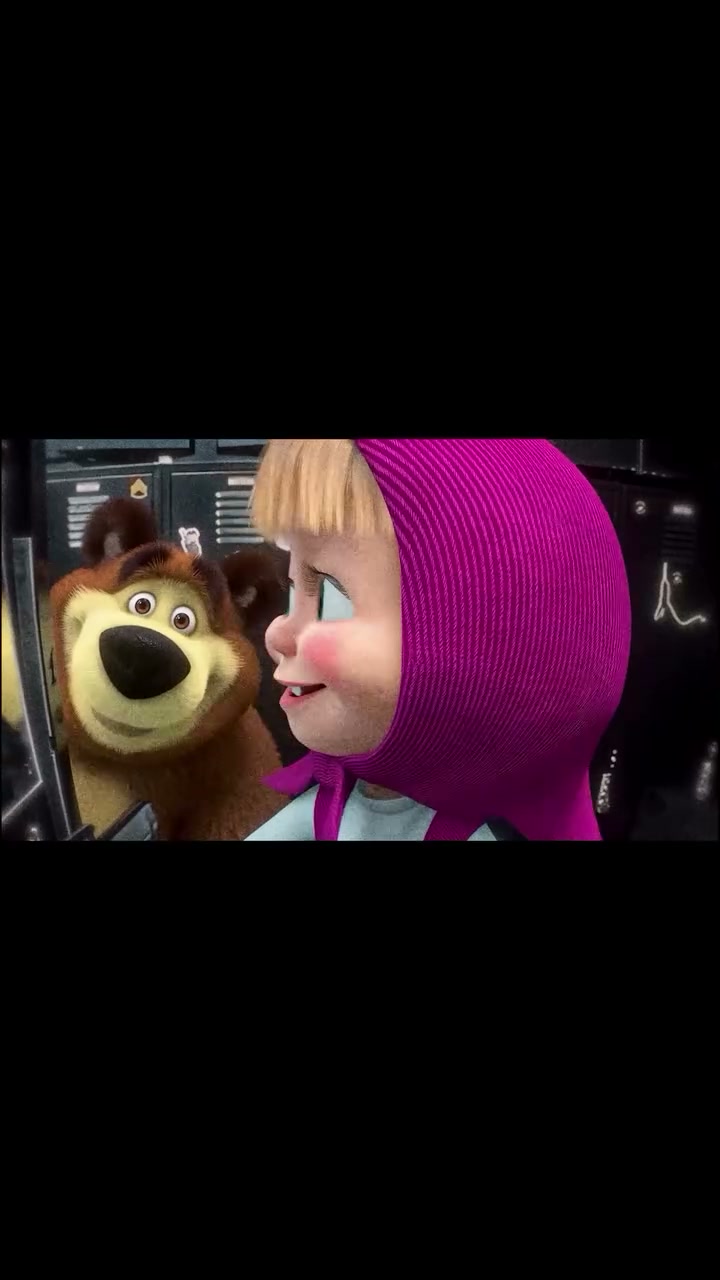
The first video is the original End of Watch source scene. The next two are user-generated AI video examples based on this scene. The Masha and the Bear video used elsewhere on this page is an AI-generated motion reference based on the same scene.

Original End of Watch scene · Source footage
User-generated AI result 1 · Two-photo character replacement
User-generated AI result 2 · Two-photo character replacement

What Is the End of Watch AI Trend?

The End of Watch AI Trend is an independent video recreation inspired by the police locker-room equipment showcase in the 2012 film End of Watch. The original film stars Jake Gyllenhaal and Michael Peña and was directed by David Ayer. This generator is not affiliated with or endorsed by the filmmakers, studio, or actors.

Film information: Universal Pictures At Home · Independent product · Not affiliated with the film or its rights holders

The police locker-room scene

A patrol officer stands in front of blue metal lockers and presents duty gear to a fixed camera, one item at a time. It is a character-replacement and motion-transfer concept, not a SWAT operation, arrest scene, or generic police filter.

Motion transfer, not a face filter

One photo guides the main character's appearance; an optional second photo can personalize the secondary character. A rights-cleared reference clip guides movement, framing, and timing. AI results can vary, so the original sequence and details are not guaranteed to match perfectly.

How to Create Your Own Patrol AI Trend Video

Create a short End of Watch AI video with one character photo; a second photo is optional. No filming, editing skills, or police props are needed.

01

Upload One Photo

Choose one clear, well-lit photo for the main character. Add a second photo if you want to personalize the secondary character too. Front-facing upper-body images are a helpful starting point.

02

Generate Your Video

Photo 1 guides the main character. An optional photo 2 guides the secondary character; if you skip it, that character keeps the reference appearance. A motion clip guides the locker-room scene and equipment showcase.

03

Download and Share

Preview your personalized Patrol AI video, download the MP4, and share it on TikTok, Instagram Reels, or YouTube Shorts.

No filming, editing timeline, or props needed. Upload one character photo and optionally add a second, then let the motion reference guide the scene. Review the result because AI-generated faces, hands, and props can vary.

Why Create Your Own Patrol AI Video?

Turn one character photo, with an optional second, into a short movie-inspired scene without recording yourself or staging the equipment showcase.

One or Two Photos

Choose an appearance photo for the main character and optionally add one for the secondary character; you do not need to record a reference video.

Full-Character Replacement

The goal is full-character replacement for the main role. Add a second photo to personalize the secondary character too, rather than applying a face-only filter.

Reference-Led Motion

A compatible motion reference guides the camera, scene, and sequence of gear presentations. Results can vary.

Easy to Use

Skip the filming setup and editing timeline. Upload one required photo, optionally add a second, and review the result when it is ready.

Ready to Share

Choose a vertical format for TikTok, Instagram Reels, or YouTube Shorts, then download your MP4.

Choose your credits

Compare one-time End of Watch AI credit packs. See 480p and 720p options, costs per video, and credit returns after a failed generation.

Quick preview
$5.90one-time

10 credits

≈ $5.90 · per short video

One 15-second 480p short video

Try the format before buying more credits.

  • Paid credits never expire
  • Credits for failed generations are returned to your balance
Single video
$9.90one-time

20 credits

≈ $9.90 · per standard video

One 15-second 720p video

A complete 15-second video for one idea.

  • Paid credits never expire
  • Credits for failed generations are returned to your balance
Most popular
Try a few versions
$24.90one-time

60 credits

≈ $8.30 · per standard video

Save $4.80 · 16% off

Three 15-second 720p videos

Three attempts to compare versions and choose your favorite.

  • Paid credits never expire
  • Credits for failed generations are returned to your balance

End of Watch AI Video FAQ

Answers about the Patrol AI Trend, photo requirements, generation, sharing, and credits.